How to Install CrowdSec on Your VPS to Prevent Attacks
Leave a comment on How to Install CrowdSec on Your VPS to Prevent Attacks
When managing a VPS, security should always be your top priority. Within minutes of going online, exposed servers frequently draw malicious bots, brute-force attempts, and exploit scans. Installing a community-driven and proactive security tool like CrowdSec can significantly improve system security. Through this blog, we discuss what CrowdSec is, how it works, and how to install and configure it on your VPS to effectively prevent attacks.

What is CrowdSec?
CrowdSec is a collaborative, open-source intrusion prevention and detection system. It monitors your server logs for suspicious activities (like failed SSH logins or repeated malicious requests) and automatically blocks the offending IPs using a bouncer (firewall, reverse proxy, or application layer).
What makes CrowdSec unique is its crowdsourced intelligence; when a malicious IP is detected on one server, the information is shared with the entire CrowdSec community. This means your VPS benefits from the collective defense of thousands of other users worldwide.
Why Use CrowdSec on Your VPS?
Here are some key reasons why CrowdSec is a great addition to your security stack:
- Brute-force protection: Automatically detects and blocks SSH, SMTP, and HTTP brute-force attempts.
- Collaborative defense: Leverages real-time threat intelligence shared by the community.
- Lightweight and efficient: Written in Go, it’s resource-friendly and works well even on small VPS instances.
- Flexible setup: Works with various services like Nginx, Postfix, OpenSSH, WordPress, and more.
- Detailed visibility: Offers dashboards and metrics for deeper insight into attack patterns.
Now we can move on to the installation part. CrowdSec supports most Linux distributions, including Ubuntu, Debian, CentOS, Rocky Linux, and AlmaLinux. And here we use Ubuntu 22.04 server for installation.
Installing CrowdSec on Your VPS to Prevent Attacks Step-by-Step
Let’s go through the installation process step by step. At first you will need to update your package list:
sudo apt update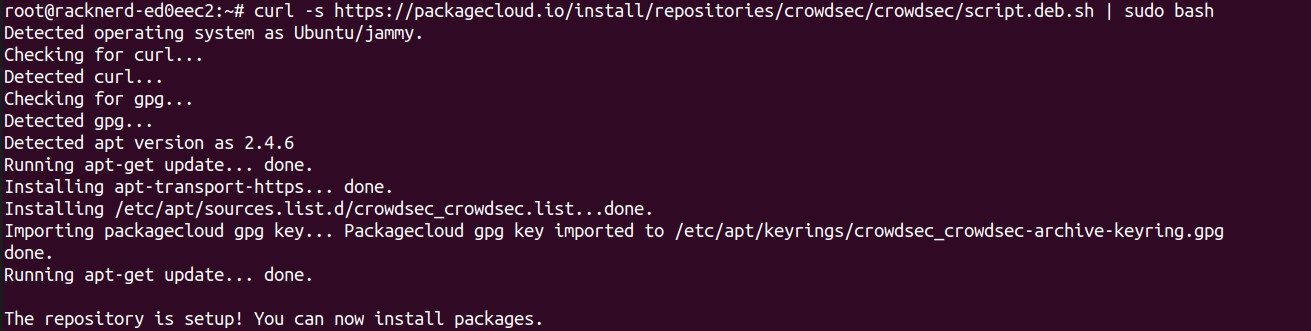
Then install CrowdSec repositories first using:
curl -s https://packagecloud.io/install/repositories/crowdsec/crowdsec/script.deb.sh | sudo bashThen install it using:
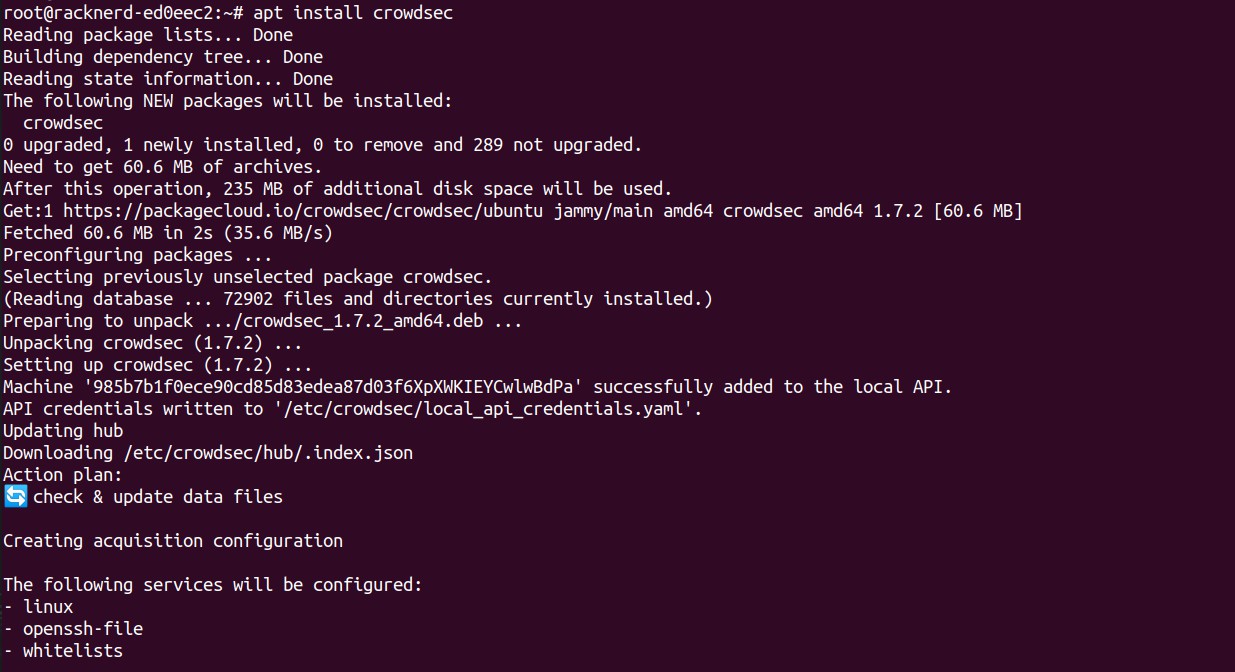
apt install crowdsecInstalling a Bouncer
CrowdSec by itself only detects malicious activity. A bouncer, which is a component that enforces the decisions made by the CrowdSec engine, is necessary in order to actually block those IPs.
The most common bouncer for VPS setups is the firewall bouncer. Install it using:
sudo apt install crowdsec-firewall-bouncer-iptablesThis will automatically integrate with iptables or nftables and begin blocking known malicious IPs in real-time.
Verifying the Setup
After installation, check that CrowdSec is running:
sudo systemctl status crowdsec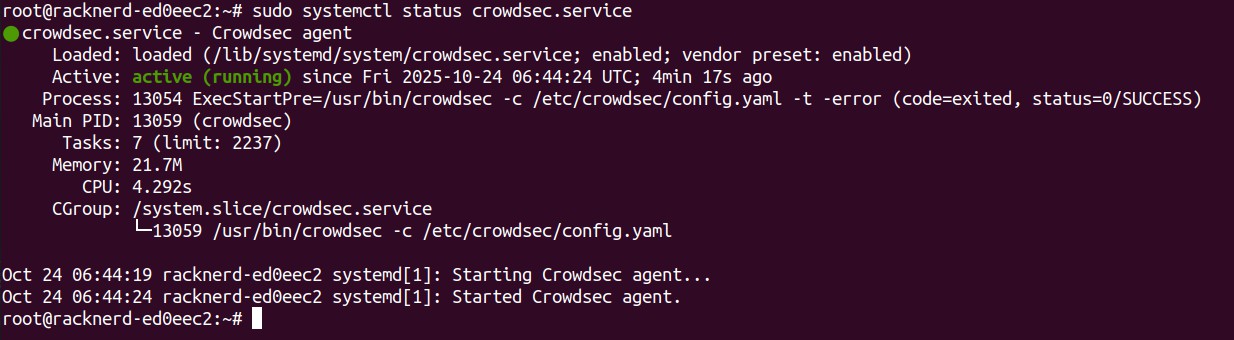
You can also view recent detections:
sudo cscli decisions listTo confirm the firewall bouncer is active:
sudo cscli bouncers listIf everything is running properly, you’ll see that the bouncer is connected and enforcing CrowdSec’s blocklists.
Enable the CrowdSec Console (Optional)
CrowdSec offers a web dashboard called the Console, which provides a graphical overview of your detections and alerts.
Sign up at https://app.crowdsec.net and link your instance by following the provided instructions:
sudo cscli console enrollThis is a great way to visualize your VPS’s security activity and identify trends over time.
Keep CrowdSec Updated
Threat intelligence evolves rapidly. To ensure your VPS is always protected against new threats, periodically update CrowdSec and its parsers:
sudo cscli hub updatesudo systemctl restart crowdsecBonus: Integrating with Web Services
CrowdSec isn’t limited to SSH or firewall protection. You can integrate it with:
- Nginx / Apache: Block malicious web crawlers and bots.
- WordPress: Protect login pages and admin panels from brute-force attacks.
- Postfix / Exim: Prevent spam and SMTP abuse.
Each integration uses a specific parser or scenario, making CrowdSec extremely flexible across different workloads.
Conclusion
Installing CrowdSec on your VPS is one of the simplest yet most effective steps to strengthen your server’s defense. With its combination of real-time log analysis, automated blocking, and
shared threat intelligence, CrowdSec helps you stay ahead of attackers without constant manual intervention.
If you’re running multiple VPS instances, deploying CrowdSec across them can provide even stronger network-wide protection, turning your servers into active participants in a global security network.