Build a Website Instantly with RackNerd’s AI Website Builder in cPanel (Sitejet AI Demo)
Leave a comment on Build a Website Instantly with RackNerd’s AI Website Builder in cPanel (Sitejet AI Demo)
Creating a professional website no longer requires hours of design work or technical knowledge. With the AI Website Generator powered by Sitejet, now available directly inside cPanel, you can generate a fully functional website in just minutes.
In this guide, you’ll learn how to build a website instantly using the Sitejet AI Website Builder included with RackNerd’s cPanel hosting plans. By providing a few simple details about your website, the AI automatically generates a structured homepage with sections like About, Services, and Contact, allowing you to launch a site quickly and easily.
What Is the Sitejet AI Website Generator?
The Sitejet AI Website Generator is an AI-powered website creation tool integrated into the Sitejet Website Builder inside cPanel. Instead of starting with a blank page or choosing from dozens of templates, the AI generates a homepage structure for you based on the information you provide.
This tool is designed to simplify website creation for beginners, entrepreneurs, and developers who want to quickly launch a site without spending hours designing layouts or writing content from scratch.
With the AI generator, your homepage can be created in seconds and typically includes essential website sections such as an introduction banner, an about section, services or features, and a contact area. Once generated, you still have full control over the design using the drag-and-drop Sitejet editor.
Some of the main advantages of using the Sitejet AI Website Generator include:
- AI-powered homepage creation in seconds
- Mobile-friendly layouts automatically optimized for different devices
- Easy customization with Sitejet’s visual drag-and-drop editor
- Instant publishing once your website is ready
Another great advantage is that this feature is already included with RackNerd shared hosting and reseller hosting plans, so you don’t need to install additional tools or purchase separate website builder software.
For RackNerd reseller hosting customers, your end users will also be able to access this AI website builder directly from their own cPanel interface. This allows you to offer modern AI website creation tools to your clients at no extra cost, helping you provide even more value with your hosting services.
👉 If you don’t have hosting yet, you can explore RackNerd’s plans at https://racknerd.com
Prerequisites
Before starting this tutorial, make sure you have the following:
- A RackNerd shared hosting or reseller hosting plan
- Access to your cPanel account
- The Sitejet Website Builder available in cPanel
- A new website project created inside Sitejet
Keep in mind that the AI Website Generator currently works only when creating a new Sitejet website. It cannot be applied to websites that were already created previously.
Step-by-Step: Build a Website Using Sitejet AI in cPanel
Step 1: Log in to Your cPanel Account
Start by logging in to your cPanel account. You can typically access cPanel through your hosting dashboard or by navigating directly to the login URL below.
https://yourdomain.com/cpanel
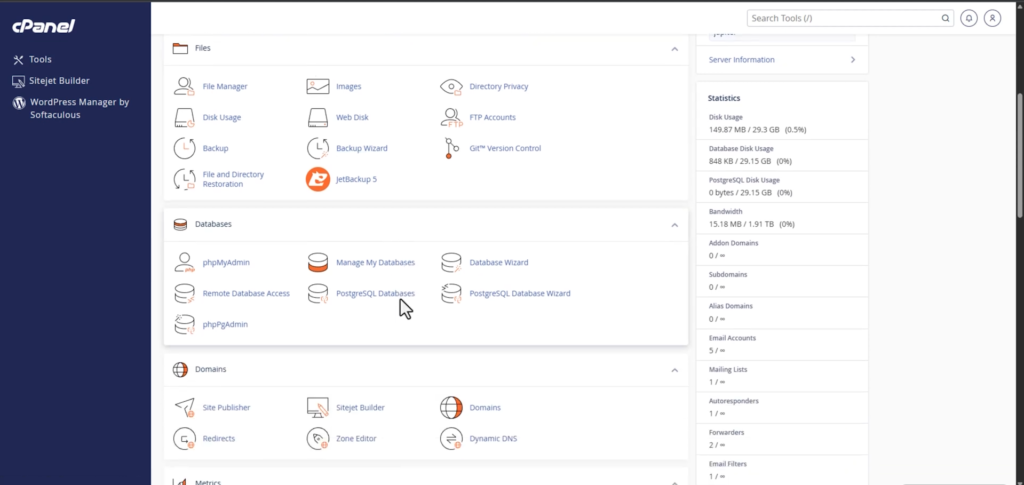
Once you’ve successfully logged in, you’ll see the main cPanel dashboard where all of your hosting tools and settings are available.
Step 2: Open the Sitejet Website Builder
Inside the cPanel dashboard, scroll down until you locate the Sitejet Website Builder option. Click on it to open the Sitejet interface where you can create and manage websites.
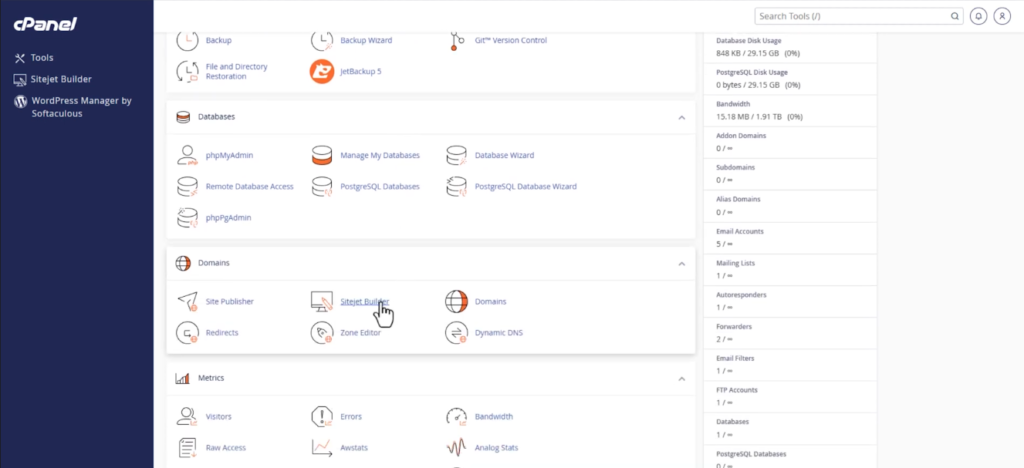
The Sitejet dashboard provides access to the editor, templates, and the AI Website Generator.
Step 3: Create a New Website
Within the Sitejet dashboard, click the New Website button to start a new project.
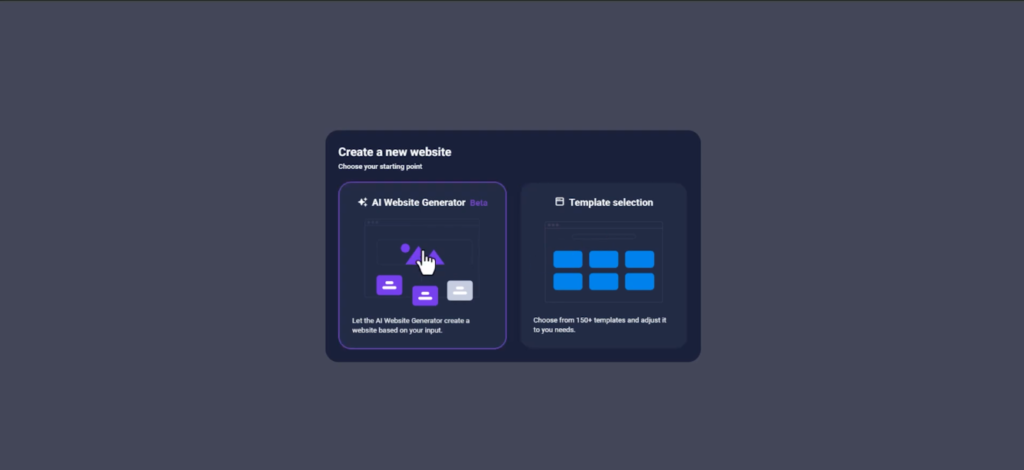
If this is your first time using Sitejet, you may see two available options when creating a site:
- AI Website Generator
- Choose a Template
For this tutorial, select AI Website Generator so the system can automatically create your homepage.
Step 4: Enter Basic Website Information
The AI generator will ask you to provide a few details about your website. These details help the system determine what type of layout and content should be generated.
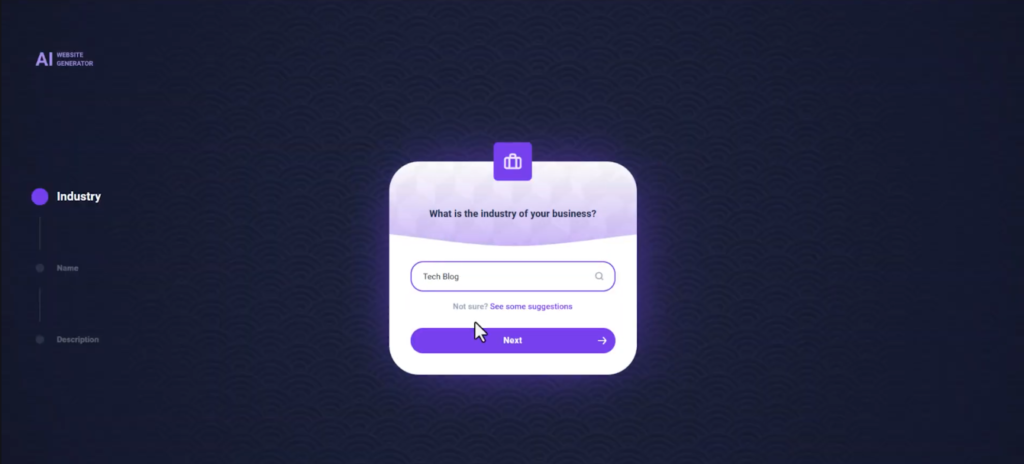
You may be asked for information such as the industry your website belongs to, the website name, and a short description of your business or project. Once you’ve filled in the required information, click the Generate button.
Step 5: Let the AI Generate Your Homepage
After clicking Generate, Sitejet will automatically create a homepage for your website. The AI will produce a structured layout that typically includes key sections needed for most websites.

These sections may include a hero introduction area, an about section, services or features, and a contact section. The AI generates placeholder content and images that match the details you provided earlier.
This gives you a strong starting point without needing to design the entire website manually.
Step 6: Customize the AI-Generated Sections
Once the homepage is generated, you can review the sections and decide which ones you want to include on your website.
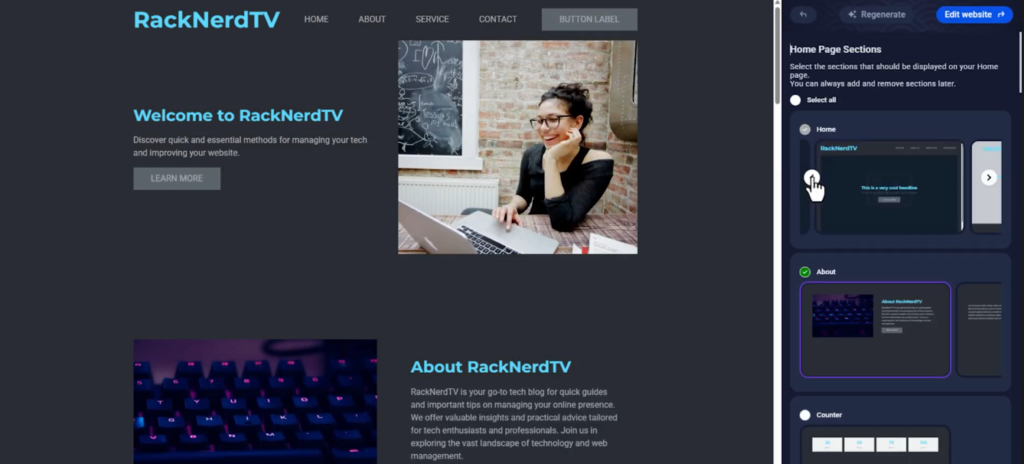
You can keep the sections you find useful and remove the ones you do not need. This process allows you to quickly refine the structure of your website while still benefiting from the AI-generated layout.
Step 7: Edit Your Website with the Sitejet Editor
After selecting your preferred sections, you can continue customizing the website using the Sitejet drag-and-drop editor.
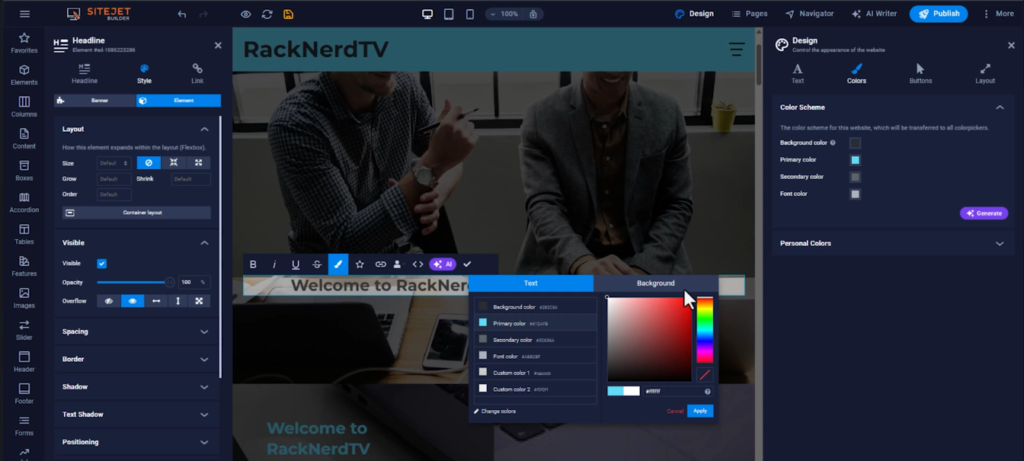
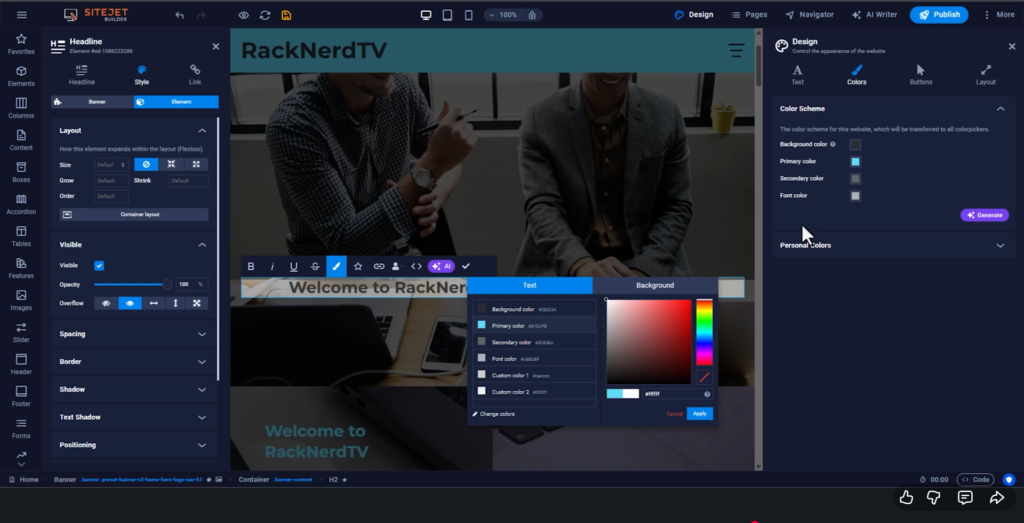
The editor allows you to easily modify your website by clicking on different elements. You can update text, replace images, change colors, adjust layout blocks, and add additional content. Because the editor is visual and intuitive, you don’t need any coding knowledge to make changes.
This flexibility means you can quickly launch your website using AI while still tailoring it to match your brand or personal style.
Step 8: Publish Your Website
Once you are satisfied with your website’s content and design, click the Publish button.
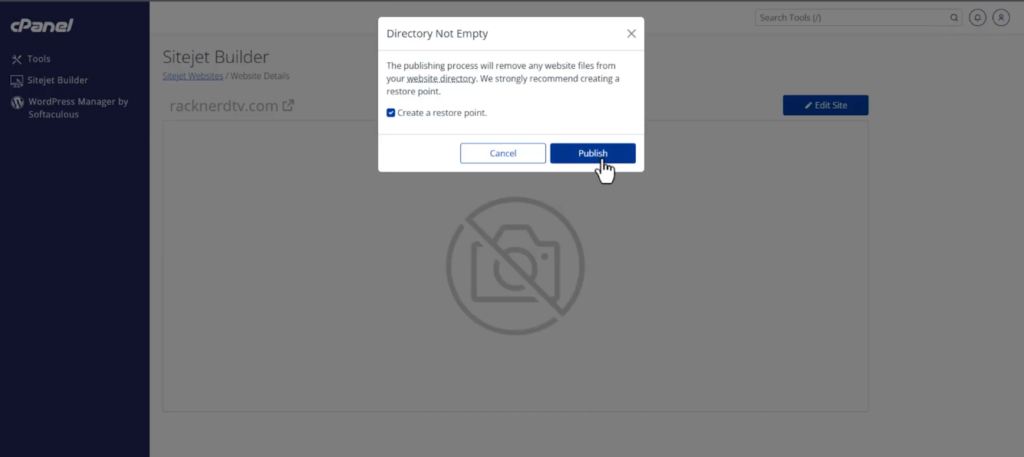
Your website will immediately go live and become accessible to visitors online. In just a few steps, you have gone from a blank project to a fully functioning website powered by AI.
Quick Reference Table
| Step | Action | Purpose |
|---|---|---|
| Step 1 | Log in to cPanel | Access your hosting control panel |
| Step 2 | Open Sitejet Website Builder | Launch the website builder |
| Step 3 | Click New Website | Start creating a new site |
| Step 4 | Select AI Website Generator | Enable AI website creation |
| Step 5 | Enter website details | Allow AI to generate your homepage |
| Step 6 | Customize sections | Choose the layout you want |
| Step 7 | Edit with Sitejet editor | Customize content and design |
| Step 8 | Click Publish | Launch your website |
FAQs
❓ Is the Sitejet AI Website Generator included with RackNerd hosting?
Yes. The Sitejet AI Website Generator is included with RackNerd shared hosting and reseller hosting plans and can be accessed directly through the cPanel dashboard.
❓ Can I use the AI generator on an existing Sitejet website?
No. The AI Website Generator currently works only when creating a new Sitejet site. Existing websites cannot be converted using this feature.
❓ Can reseller hosting customers offer this feature to their clients?
Yes. RackNerd reseller hosting users can provide access to the Sitejet AI Website Generator to their clients through their individual cPanel accounts at no additional cost.
❓ Can I customize the AI-generated website later?
Absolutely. After the AI generates your homepage, you can edit and customize every element using the Sitejet drag-and-drop editor.
❓ Are AI-generated websites mobile-friendly?
Yes. Sitejet automatically generates responsive layouts designed to work well on both desktop and mobile devices.
Conclusion
Congratulations! You’ve successfully learned how to create a website instantly using the Sitejet AI Website Generator inside cPanel.
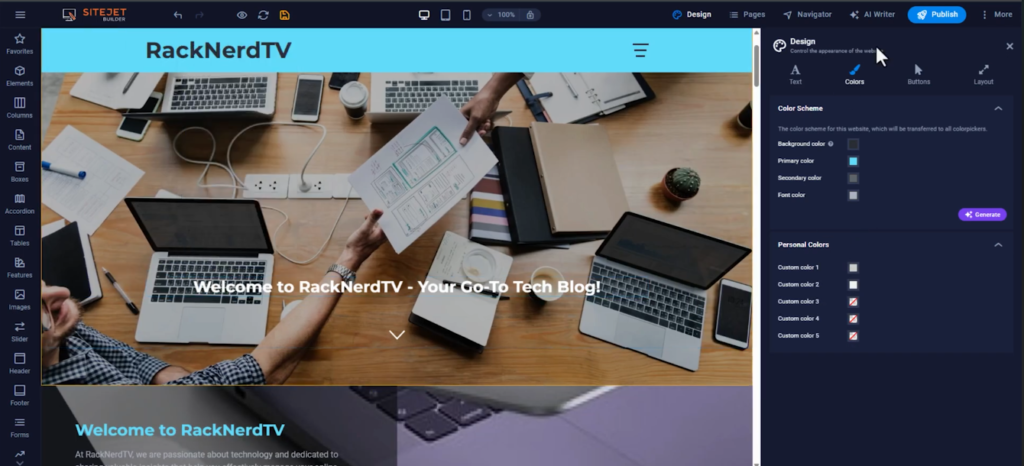
By using this powerful tool, you can go from a blank project to a professional website in just minutes. The AI helps generate the structure and layout of your site, while the Sitejet editor gives you full control to customize and refine the design.
This is one of the many ways RackNerd continues to make website hosting and management easier for beginners and experienced users alike. With powerful tools built directly into cPanel, launching a new website has never been faster.
If you’re ready to start building websites quickly and efficiently, explore RackNerd’s hosting plans today at https://racknerd.com.